Cash App Alternative for Shared Memberships: Request Clear Monthly Shares
Need a Cash App alternative for a shared membership? Use Clero to document each share, send a clear request, and review payment status before the next renewal.
A cash app alternative earns its place when one friend covers a shared membership and the group needs more than a payment note. Four people may share a warehouse club plan, a practice-space membership, or a local recreation pass. The cardholder needs each member to see the amount, the renewal period, and whether their share remains open before the next charge.
Clero supports everyday payments for shared spending. Start with an agreed request for one known share, or add purchase context when the membership has an invoice, receipt, add-ons, or uneven participation. The person who paid can keep the request and payment status together instead of checking a group chat, a bank alert, and a private spreadsheet.
Use this approach:
- Confirm the membership owner, renewal date, and full charge.
- Decide which members share the base plan and any add-ons.
- Create a clear request for each agreed share.
- Ask members to review the recipient, amount, payment method, and displayed total before they pay.
- Check open and paid status before you send a reminder or create the next request.
Shared memberships need a record before payback
An equal split works if four people share one $120 annual membership. Each person owes $30, including the person whose card paid the merchant. The details change when two members add guest access, one joins after the first month, or the group agrees that the owner covers a larger share.
Write down the agreement while the charge is visible. Include the membership name, covered period, total, who joins, and how the group handles tax or an add-on. That record gives each person a reason for the request beyond “membership money.”
Clero can handle a direct one-on-one request for a settled amount. For a more detailed purchase, connect an eligible bank or card transaction, scan a receipt, upload an image or PDF, or use receipt context from Gmail. Review the source before you request payment. The Clero homepage shows how purchase context, shares, requests, and payment status fit in one flow.
Build a clean monthly-share request in Clero
Keep the setup short when the group already agrees on the math. Add detail where the cost needs explanation.
Set the base share and add-ons
Imagine Priya pays $96 for a four-person quarterly studio membership. Priya, Omar, and June use the base plan. Theo joins after the first month and uses only the final two months. Omar adds a $12 equipment locker for the full quarter.
The group agrees on a plan before Priya sends requests: $24 each for the base plan, then a $16 credit to Theo for the unused month. Theo owes $8 for the quarter. Omar owes $36 with the locker. Priya’s own share remains $24. The numbers add to the $96 charge.
Clero gives Priya room to document those choices through an agreed direct request or a detailed split. If the membership invoice includes separate add-ons, she can keep those parts visible and use item assignments or custom shares where they help. A participant can review their amount against the group agreement before paying.
Send requests with context people can recognize
A request should say which membership period it covers. “Studio plan, April through June” helps more than “you owe me.” Include a receipt or invoice when the member needs to check the source charge or an add-on.
Clero keeps that context close to the request. If a member has trouble finding an active invitation or payment, Find My Clero gives them a path back to it. For other shared-cost examples, browse the Clero blog.
Review payment before you confirm
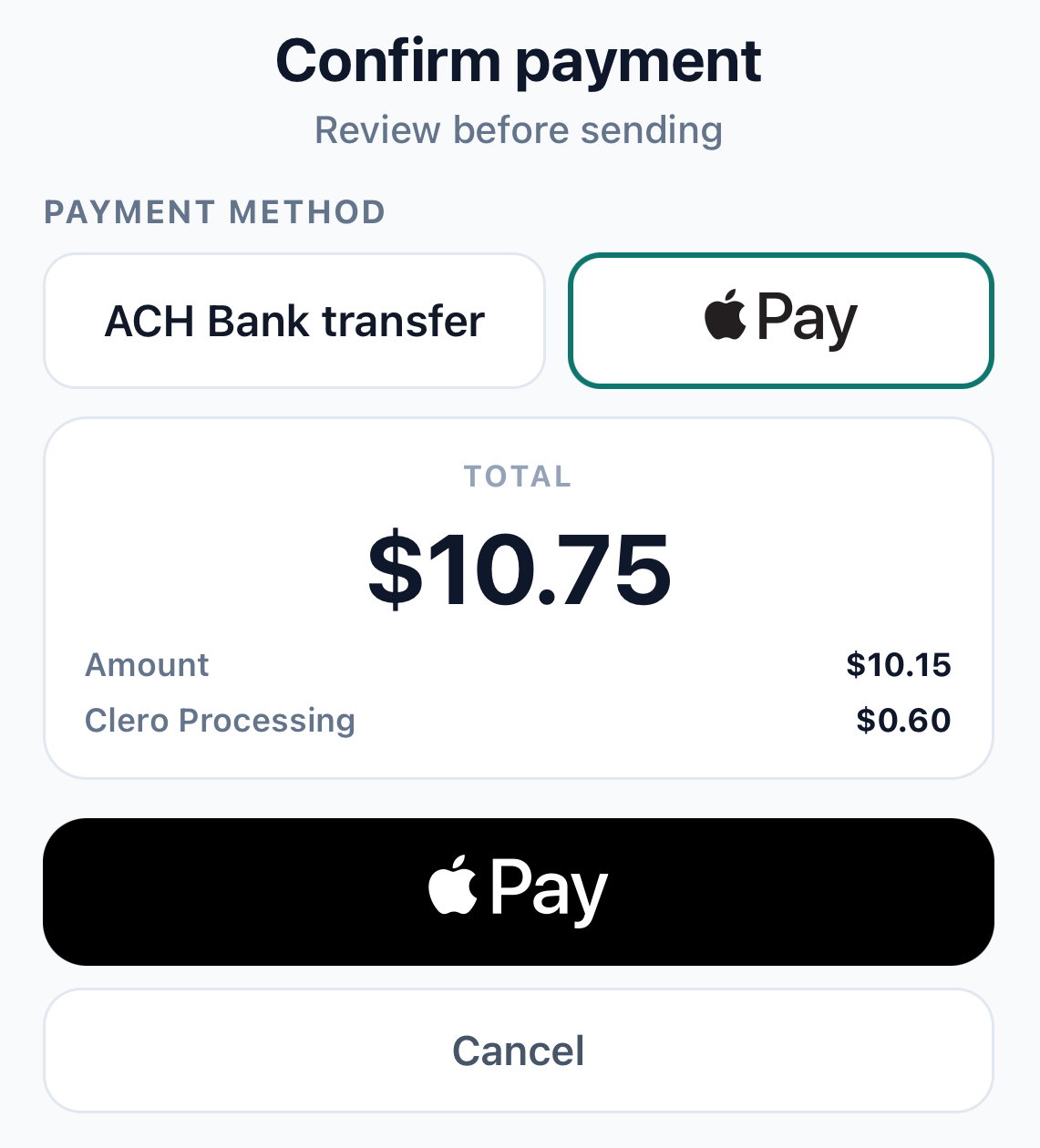
The payment screen lets a payer review the available method and final displayed amount before authorization. Payment methods, eligibility, fees, limits, and processing time can vary by account and payment flow. Use the current payment screen as the source for those details. Do not assume a screenshot represents a fee quote or a delivery promise.
After a member pays, check the request status before asking them to try again or sending money through a second app. A payment in progress needs follow-up, not a duplicate charge.
Why not Venmo / Splitwise / Zelle / Cash App for this use case?
Each service can fit part of a shared-membership plan. Choose the service around the step your group needs to complete.
Where Clero is stronger for shared-expense workflow
Clero fits the group that needs to connect an agreed share to the source purchase, a request, payment review, and status. The cardholder can keep an annual invoice or a quarterly charge beside the group’s split, rather than rebuilding the agreement in messages at each renewal.
The workflow helps with mixed participation. Priya can keep Omar’s locker cost separate, record Theo’s partial-quarter share, and send each person a request tied to the same membership charge. Friends can pay a clear share while another member checks an add-on.
Clero supports direct payments and requests for a known amount too. The additional context becomes useful when a group needs to explain a charge, split a purchase with different shares, or track who has paid. See the Clero and Cash App comparison for a product-level view.
Where direct-transfer or tracking-first apps fit different jobs
Cash App supports sends and requests through a $cashtag, phone number, email, or payment link. Friends who use Cash App and agree on one amount may prefer its familiar request flow. Cash App Pools can suit a group that collects contributions before a planned purchase.
Venmo supports sending and requesting money and offers Groups for shared-expense tracking and settling. A group with an established Venmo routine may want to keep a simple membership collection there.
Zelle works through participating U.S. financial institutions for eligible users who know and trust each other. It fits a direct bank payment after friends agree on the amount. Check your institution’s limits and availability before you send.
Splitwise supports groups, expenses, and unequal splits, which can suit a household or club that keeps a long-running ledger. Its expense record can be a good match when the group wants to track balances across many costs before it settles.
Use Clero for a shared-expense workflow that carries a purchase from clear shares through request, payment review, and status. Use a direct-transfer app for an agreed payment. Use a tracking-first app for a continuing balance record. Each provider sets its own features, eligibility, limits, fees, and payment timing.
Shared-membership checklist
- Confirm the invoice total and membership period.
- List members who use the base plan and any add-ons.
- Agree on partial-period credits before you request payment.
- Keep the cardholder’s own share in the calculation.
- Add source context when a member may question the amount.
- Review payment status before you send another reminder or request.
Cash App alternative FAQ
Can Clero handle one agreed membership share?
Yes. Use a direct request when two people agree on one amount. Add the membership title and period so the recipient recognizes the request. Use receipt or transaction context when the charge has add-ons, uneven participation, or another detail the group needs to review.
Can each member pay at a different time?
Yes. A member can pay after their share is clear. The cardholder can use payment status to see which requests remain open. That visibility helps the group avoid asking someone to pay twice.
Should a group split the charge before or after renewal?
Set the share before the cardholder sends requests. A group can collect contributions before a planned purchase or reimburse a cardholder after a charge. Use the approach that matches the membership terms and your group’s agreement.
Make membership payback easier to check
A cash app alternative for shared memberships should give each friend enough context to approve their share. Clero keeps the agreed amount, source purchase when needed, payment request, confirmation step, and status in one everyday-payments workflow. Start a Clero request for a known amount, then add detail when a shared charge needs it.