Cleromoney for a Group Gift: Split the Gift, Wrapping, and Shipping
Use Cleromoney to turn one group-gift receipt into clear shares for the present, wrapping, shipping, and a payment request friends can review.
One friend buys a birthday gift before the store sells out. Another picks up a card. A third offers to cover shipping. By the time you text the group, the simple plan has turned into a list of amounts, screenshots, and “who already paid?” messages.
Use Cleromoney to keep a group gift’s purchase details, each friend’s share, payment requests, and paid status in one place. Choose it when the group needs more context than “Venmo me $18,” but does not need a long-running expense spreadsheet.
Quick approach: Keep personal add-ons out of the split, agree on shared costs before sending requests, and let each person pay when their amount is clear.
In this guide:
- Build a group-gift split
- Turn the split into clear requests
- Compare Cleromoney with payment and tracking apps
- Use a short checklist
Build a Cleromoney group-gift split
Start with what the group agreed to buy. Say four friends choose a $72 cookbook and matching $12 kitchen tool for a friend’s housewarming. Jordan pays $84 at checkout, then spends $6 on wrapping and $10 on shipping. Tax adds $8.
The group can split all $108 in equal shares if each person agreed to cover the same amount. In that case, Jordan keeps their own $27 share and asks three friends for $27 each. If one friend only joined the cookbook, use a different split before sending requests.
| Cost | Amount | Group decision |
|---|---|---|
| Cookbook | $72 | Shared by all four friends |
| Kitchen tool | $12 | Shared by all four friends |
| Tax | $8 | Shared by all four friends |
| Wrapping | $6 | Shared by all four friends |
| Shipping | $10 | Shared by all four friends |
| Total | $108 | $27 per friend |
The math takes little time. Agreement causes the trouble. One friend may have bought a separate card, while another may have said they would not join the add-on. Put those choices in the split before the group sees a request.
In Clero, Jordan can scan the receipt and use detected line items as the starting point. Jordan can assign items, invite friends to claim them, or combine both approaches. Friends can change a claim, join a shared item, or use custom portions when the group chooses uneven shares. Clero calculates the amount each friend owes from those choices.
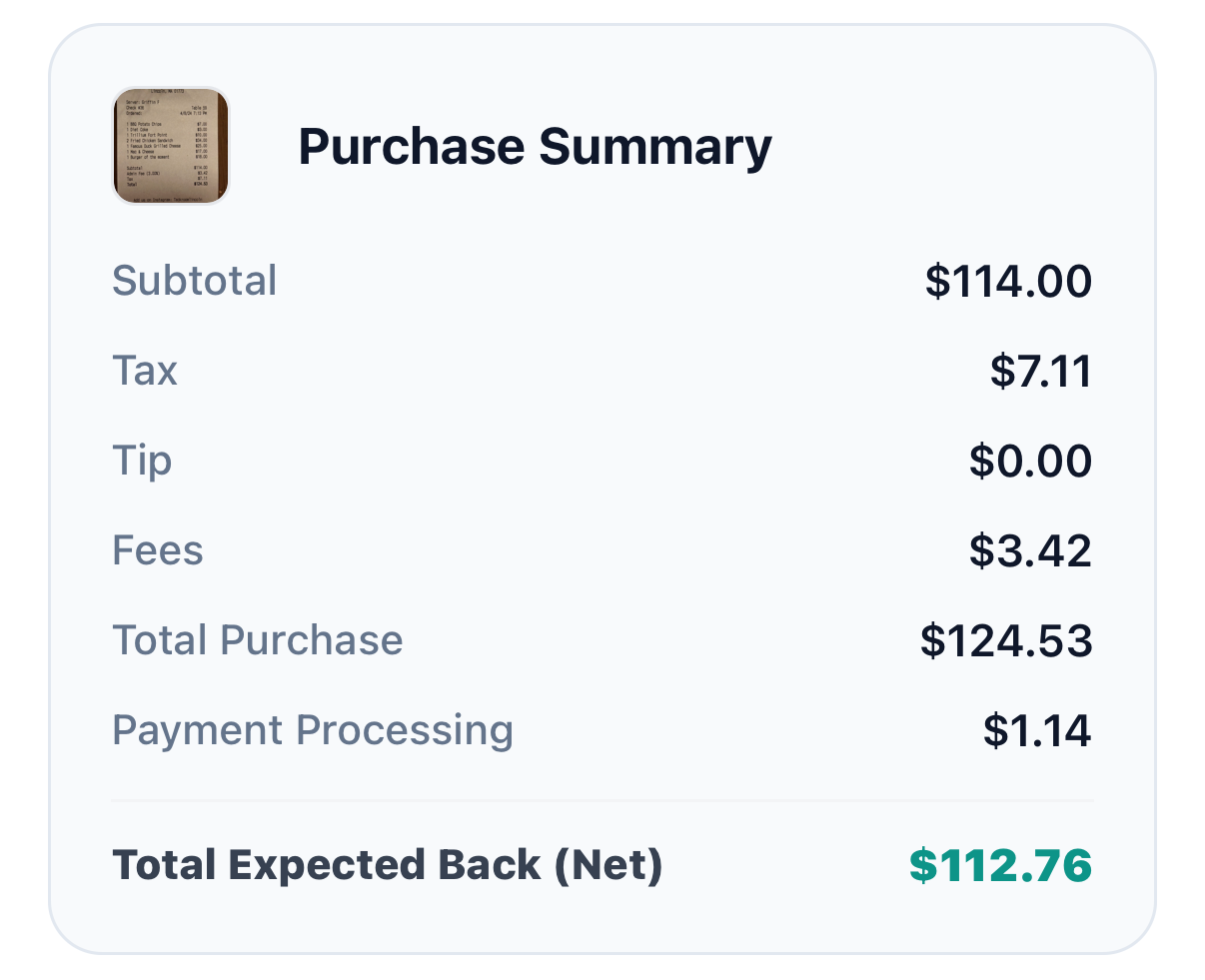
This purchase summary keeps tax, fees, and the total amount in view before Jordan asks friends to pay.
For a gift with no receipt, Jordan can still create a direct request for the agreed amount. The receipt flow earns its place when people need to check a mixed purchase, shared add-ons, or tax before paying. Clero’s group-payment overview explains both direct payments and receipt-based splits.
Turn shares into clear payment requests
Keep the purchase context with each request
Write a title friends will recognize: “Sam’s housewarming gift” works better than “Money.” Add a short note if the split includes shipping or wrapping. A request for $27 makes sense when its purchase context answers the first questions someone will ask.
The person who paid can create requests after the group confirms shares. Friends see what they owe and can pay their own portion as soon as it is clear. They do not need to wait for all other friends to choose a payment time.
Jordan can check Clero’s payment status to see paid requests and requests that still need attention. Use a reminder only after you have checked the status. That avoids asking someone for money after they already paid.
Handle uneven participation before payment
Suppose Alex joins the cookbook but skips the kitchen tool. The group could split the $72 cookbook, $8 tax, $6 wrapping, and $10 shipping four ways, then split the $12 tool among three friends. The final share depends on the group’s agreement about each cost.
Do that work in the item claims or assignment stage. Do not ask Alex to pay $27 and promise to sort it out later. A clear request reduces the need for corrections, refunds, and second payments.
For a larger event, use a group split in Clero when several people need to claim different items. A group gift still works as an everyday payment: one purchase, a few friends, clear payback.
Why not Venmo / Splitwise / Zelle / Cash App for this use case?
1. Where Clero is stronger for this shared-expense workflow
Choose Clero when a group gift needs a path from purchase proof to shares to payment. You can use a receipt to separate the present from card, wrapping, shipping, and personal extras. Friends can check their portion, then pay a request without moving the conversation to another app.
Clero also fits a small payment where the group already agrees on one amount. Send a direct payment or request, then use the same app when the next purchase needs item-level detail. The product does not force every reimbursement into a group-tracking project.
This comparison describes a workflow, not exclusive features. Venmo supports group-expense tracking, and Splitwise Pro supports receipt scanning and itemization. Choose the product that fits the job in front of your group.
2. Where direct-transfer apps or tracking-first apps are better for different jobs
Venmo: A group may prefer Venmo when everyone already uses it and wants its Groups feature. Venmo says Groups can manage, track, and split group expenses; members can edit split amounts. It fits friends who want to keep their established Venmo group process. Venmo Groups guide.
Splitwise: A household or trip group may prefer Splitwise for an ongoing record of expenses. Splitwise Pro includes receipt scanning and itemization, and its plans set limits and features for that workflow. Splitwise Pro details.
Zelle: For one agreed $27 payment, friends with eligible accounts may prefer Zelle in their participating bank or credit-union app. Zelle lets enrolled users send, request, or receive money, while each financial institution sets its own limits. Zelle usage guide.
Cash App: Friends who already agree on the amount may prefer Cash App’s send and request flow. Cash App lets a sender add a note and identify a recipient by $cashtag, phone number, or email. Cash App payment guide.
Group-gift payback checklist
Before the organizer sends requests:
- Confirm who joined the gift and which extras count as shared costs.
- Review the receipt, tax, wrapping, shipping, and any personal add-ons.
- Set claims or shares to match the group’s agreement.
- Give the request a name that identifies the gift.
- Check paid status before sending a reminder or another request.
For a group text, try: “I paid $108 for Sam’s gift, wrapping, and shipping. Each share is $27. I added the receipt and request in Clero so you can check it before paying.”
Start the next group gift in Clero. With Cleromoney, you can keep the expense, the agreement, and the payback action close together, whether you split a detailed receipt or send one agreed request.