Group Splitting for a Potluck: Share Groceries Without Group Chat Math
Use group splitting for a potluck to separate shared groceries from personal extras, send clear requests, and see who has paid without chasing a group chat.
One person buys the chips, another grabs drinks, and somebody adds a personal snack to the cart. After the potluck, “send me $12” leaves people guessing about what they owe for. A receipt photo in a group chat rarely clears it up.
Group splitting in Clero keeps the grocery receipt, each person’s share, payment request, and payment status together. Use it when a shared shopping run includes a mix of items: food for everyone, supplies for the host, and extras for one guest.
Quick approach: decide which items belong to the whole group, handle personal extras first, then send requests people can review before they pay.
In this guide:
- Set up a potluck split
- Choose fair shares for mixed groceries
- Compare Clero with Venmo, Splitwise, Zelle, and Cash App
- Use a short host checklist
Set up a group splitting potluck receipt
Start with the receipt from the shopping run. Say Morgan buys $96 of groceries for six friends: $42 for taco ingredients, $18 for drinks, $16 for dessert, $8 for ice, and $12 for Morgan’s own lunch for the next day. Tax is $6.
The group should not divide all $102 by six. Morgan’s lunch stays out. The shared total is $90, or $15 for each of the six people if everyone shares the same portion.
| Receipt item | Amount | Share decision |
|---|---|---|
| Taco ingredients | $42 | Shared by six friends |
| Drinks | $18 | Shared by six friends |
| Dessert | $16 | Shared by six friends |
| Ice | $8 | Shared by six friends |
| Tax | $6 | Shared by six friends |
| Morgan’s lunch | $12 | Morgan only |
In Clero, Morgan can scan the receipt and start with detected line items. Morgan can assign items to friends, leave items for friends to claim, or use both methods. Friends can join a shared item, remove a claim, or use a custom portion when their share differs. Clero calculates what each person owes from those choices.
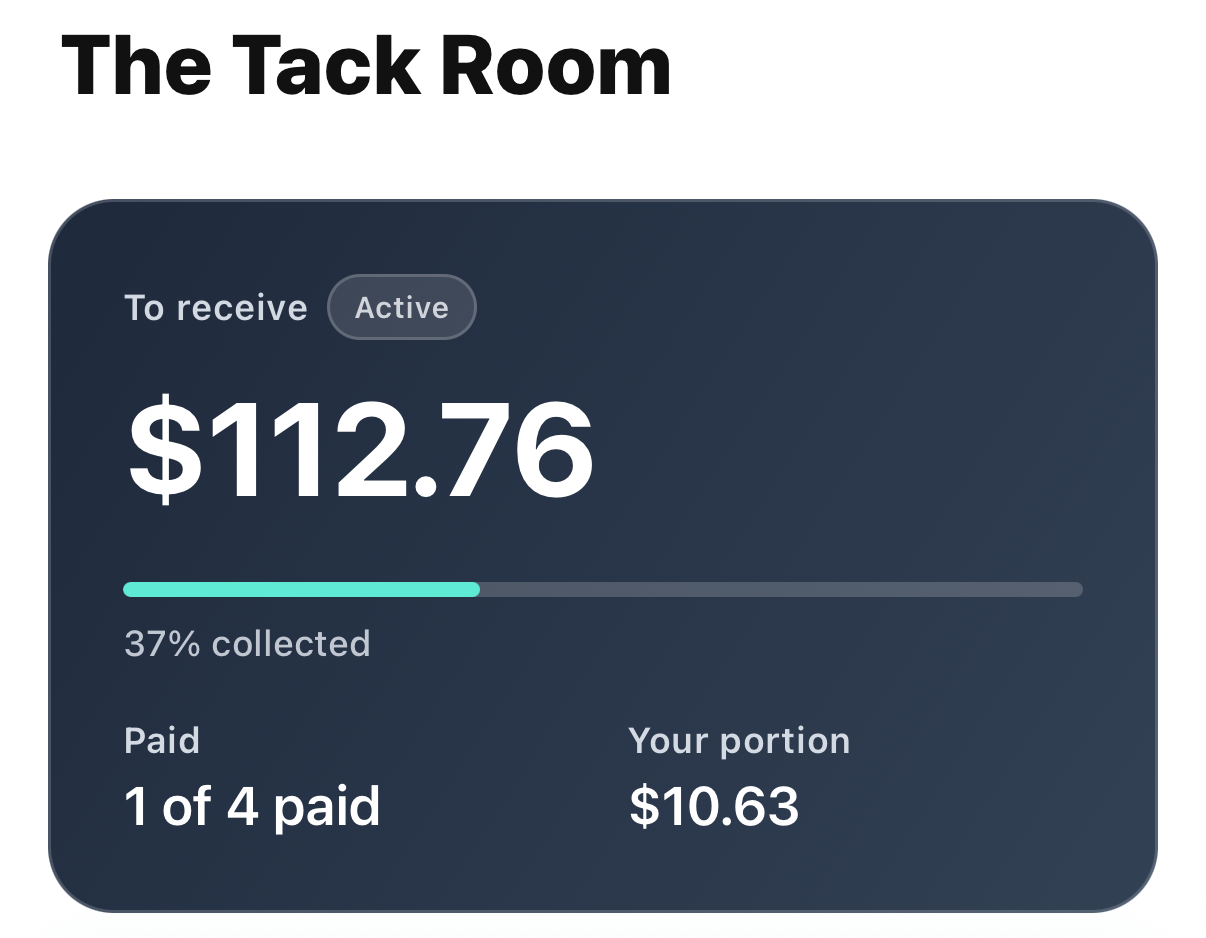
A completed split keeps the amount and payment state in view after the group agrees on shares.
The host does not need to turn a casual potluck into a long-running expense project. For an even split, use one agreed amount. Use item-level claims when the cart has personal extras, uneven drink orders, or a guest who only joined part of the meal. Clero’s group-payment overview covers both direct requests and receipt-based splits.
Choose shares before you request payback
Separate shared food from personal purchases
The simplest rule is to decide at the receipt, not after someone receives a request. Morgan can mark the lunch as personal and divide the potluck items among the friends who ate them. If one guest brought their own drinks and skipped the drinks share, remove them from that item before the group sees an amount.
Tax deserves the same decision. Groups often split tax across shared items, but they should agree on that choice before requests go out. Clero’s item and share controls give the group a place to make that decision instead of burying it in text messages.
Give requests a name people recognize
Name the request “Friday taco potluck,” not “Groceries.” A person who paid first can add the purchase context, set the share, and send a request. Friends can check what they owe and pay when their amount is clear. They do not need to wait for the rest of the group to pick a payment time.
The payer can then use Clero’s status view to see which requests have been paid and which still need attention. Check status before sending a reminder. That helps you avoid the familiar mistake of asking someone twice.
For a shopping run with lots of individual items, use a receipt split in Clero. The same flow works for one-on-one payback after a friend covers ingredients for dinner.
Why not Venmo / Splitwise / Zelle / Cash App for this use case?
1. Where Clero is stronger for this shared-expense workflow
Choose Clero when you need to carry a shared purchase from receipt details through shares, requests, and payment status. A host can separate the group’s taco ingredients from their own lunch, then give each person a request tied to that decision. Friends have a chance to review their share before payment.
Clero also fits the next smaller reimbursement. If two friends agree on one amount, they can use a direct payment or request. When a future grocery run needs item-level detail, they stay in the same app rather than switching to a tracking tool.
This is a workflow comparison, not a claim that other apps cannot split expenses. Venmo has group-expense tools, and Splitwise Pro offers receipt scanning and itemization. Pick the product that matches the job your group needs to finish.
2. Where direct-transfer apps or tracking-first apps are better for different jobs
Venmo: Friends who already keep a Venmo Group may prefer it for their existing process. Venmo says Groups let members manage, track, and split expenses, with editable split amounts. It suits a group that wants to work inside its established Venmo group. Venmo Groups guide.
Splitwise: Roommates or frequent travel groups may prefer Splitwise for an ongoing record. Splitwise Pro includes receipt scanning, itemization, default splits, and expense search. It suits people who want those tracking features across many expenses. Splitwise Pro details.
Zelle: For one agreed $15 payment, people with eligible U.S. bank accounts may prefer Zelle through a participating bank or credit union. Zelle lets enrolled users send, request, or receive money; limits come from the financial institution. Zelle usage guide.
Cash App: People who agree on one amount may prefer Cash App’s send or request flow. Cash App supports requests by link or through the app, with a note to describe the payment. Cash App payment guide.
Potluck payback checklist
Before you send requests:
- Mark personal extras and items the group did not share.
- Confirm who shared each food, drink, and supply cost.
- Decide how the group will handle tax.
- Give the request a name that identifies the potluck.
- Check payment status before sending reminders.
Try this message: “I added Friday’s taco potluck receipt in Clero. The shared groceries and tax come to $15 each. You can check your share before paying.”
Start your next shared shopping run in Clero. Group splitting gives a potluck host a clear way to turn a mixed grocery receipt into payback the group can understand.